> ## Documentation Index
> Fetch the complete documentation index at: https://tools.lunchpaillabs.com/llms.txt
> Use this file to discover all available pages before exploring further.
# Build a livestream app (with Daily + Mux)
export const feature_0 = "action"
🔐 Bundle plugin only: This {feature_0} is exclusive to the [Video, Audio & Live
Bundle](/bubble/video-audio-live-bundle/getting-started). Get the bundle
plugin
[here](https://bubble.io/plugin/video-audio--live-bundle-1727441795463x240182085842370560).
Live streams are pay-as-you-go. You'll need to add your [credit card details
to your Daily account](https://dashboard.daily.co/billing) to enable it.{" "}
# What We’ll Build
In this series, we’ll build a live-streaming app that streams directly within Bubble using the [**Video, Audio & Live Bundle**](https://bubble.io/plugin/video-audio--live-bundle-1727441795463x240182085842370560) by Lunch Pail Labs.
This app is ideal for use cases where users want to host live streams without external platforms like YouTube or Twitch. It integrates Bubble, Daily, and Mux (all included in the bundle) to provide a seamless experience.
Our app will include these features:
* **User Sign-Up & Login**: A simple interface for account creation and access.
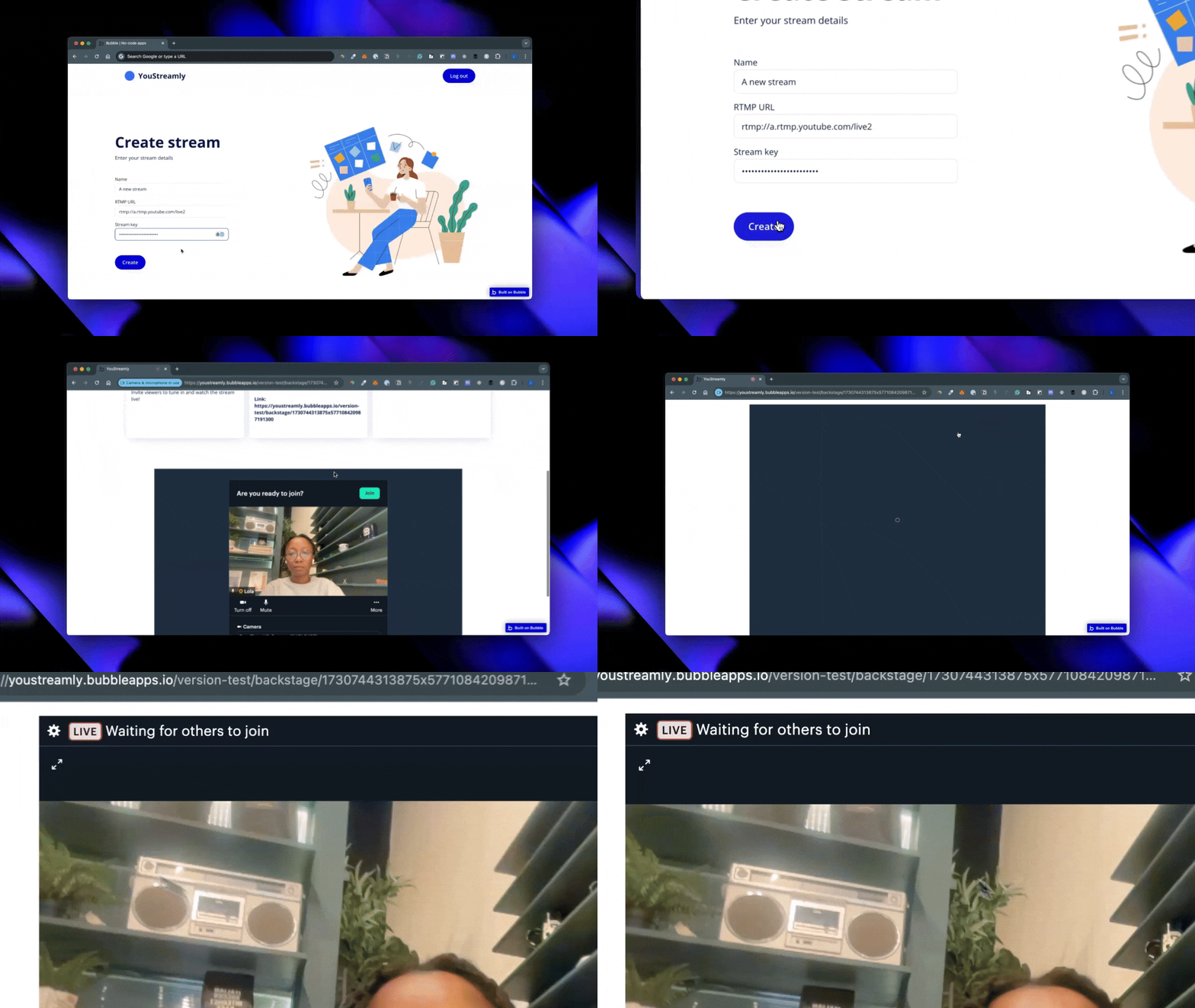
* **Stream Creation & Configuration**: Users can create live streams, set details, and share links for others to join. The streams will play directly within the Bubble app.
* **Backstage Area**: A backstage view for hosts and participants to prepare for live streaming.
This setup is perfect for Q\&As, webinars, or virtual meetups hosted directly in Bubble.
# View the Sample Project
You can check out the finished version in the [**sample editor**](https://bubble.io/page?id=youstreamly-bubble-daily-mux\&tab=Design\&name=index\&type=page). Note that, for security reasons, sign-ups are disabled, and API keys have been removed.
# Series Overview
* **Part 1**: [Setting Up Bubble and Installing the Bundle](https://lunchpaillabs.com/blog/create-a-live-streaming-app-with-bubble-daily-mux-part-1)
* **Part 2**: [Designing the Home Page and Creating Stream Workflows](https://lunchpaillabs.com/blog/create-a-live-streaming-app-with-bubble-daily-mux-part-2)
* **Part 3**: [Designing the Backstage View and Going Live](https://lunchpaillabs.com/blog/create-a-live-streaming-app-with-bubble-daily-mux-part-3)
By the end of this series, you’ll have a fully functional live-streaming app for hosting events directly within your Bubble app.
View our options for free community and priority support.
Post your feature request on our
idea board.