> ## Documentation Index
> Fetch the complete documentation index at: https://tools.lunchpaillabs.com/llms.txt
> Use this file to discover all available pages before exploring further.
# Customize a recording
Recordings are pay-as-you-go. You'll need to add your [credit card details to
your Daily account](https://dashboard.daily.co/billing) to enable it.
Customizations only apply to rooms with `cloud` recordings enabled.
To customize the settings of a Daily recording you can use the [start recording](/bubble/daily/plugin-reference/actions/start-recording) or [update recording](/bubble/daily/plugin-reference/actions/update-recording) actions to do so. This guide walks you through how to update recording settings using recording events.
## 1. Add the daily events element
Place the **Daily Events** element on your page. A common practice is to place it inside a hidden popup that stays offscreen, allowing it to listen for events without being visible.

## 2. Enable cloud recording for your room
When creating or updating a room, set the recording type to **cloud**. Customization options are only available for cloud recordings.
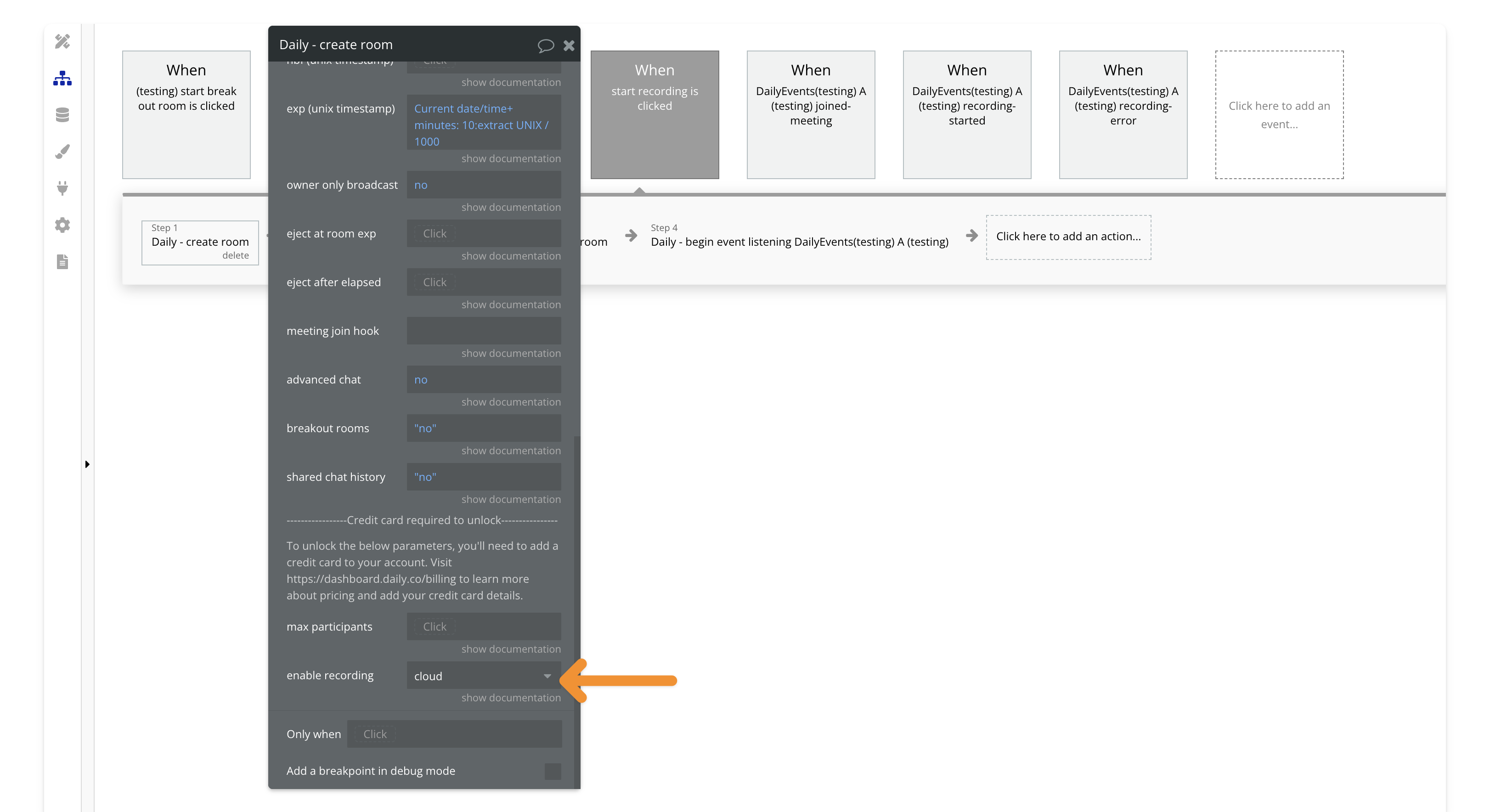
## 3. Join the room and start listening for events
After joining the room, make sure to add the **"begin listening"** action. This step is crucial to ensure Bubble can capture and process the recording events. We’ll listen for the **recording-started** event, which will trigger the update of your recording layout.

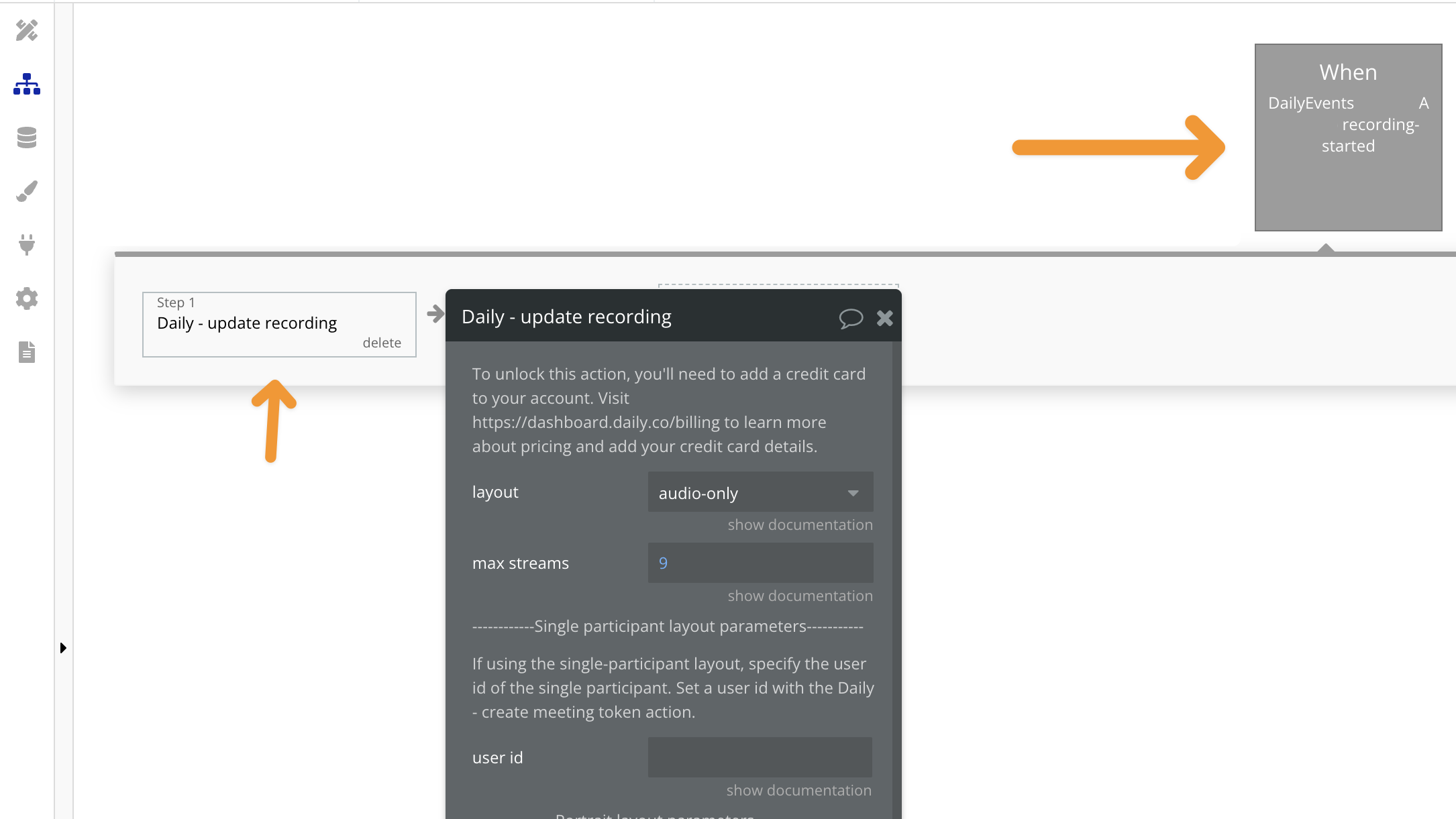
## 4. Add the recording-started event and the update recording action
Next, add the **recording-started** event and include the action to update the recording settings, such as layout, bitrate, or resolution.
***
View our options for free community and priority support.
Post your feature request on our
idea board.