> ## Documentation Index
> Fetch the complete documentation index at: https://tools.lunchpaillabs.com/llms.txt
> Use this file to discover all available pages before exploring further.
# Customize the video call position
Customizing the position of your video call allows you to place it exactly where you want on the page.
If you prefer a video walkthrough, check out our step-by-step tutorial below. Otherwise, keep reading for the written guide:
Here’s how to set it up:
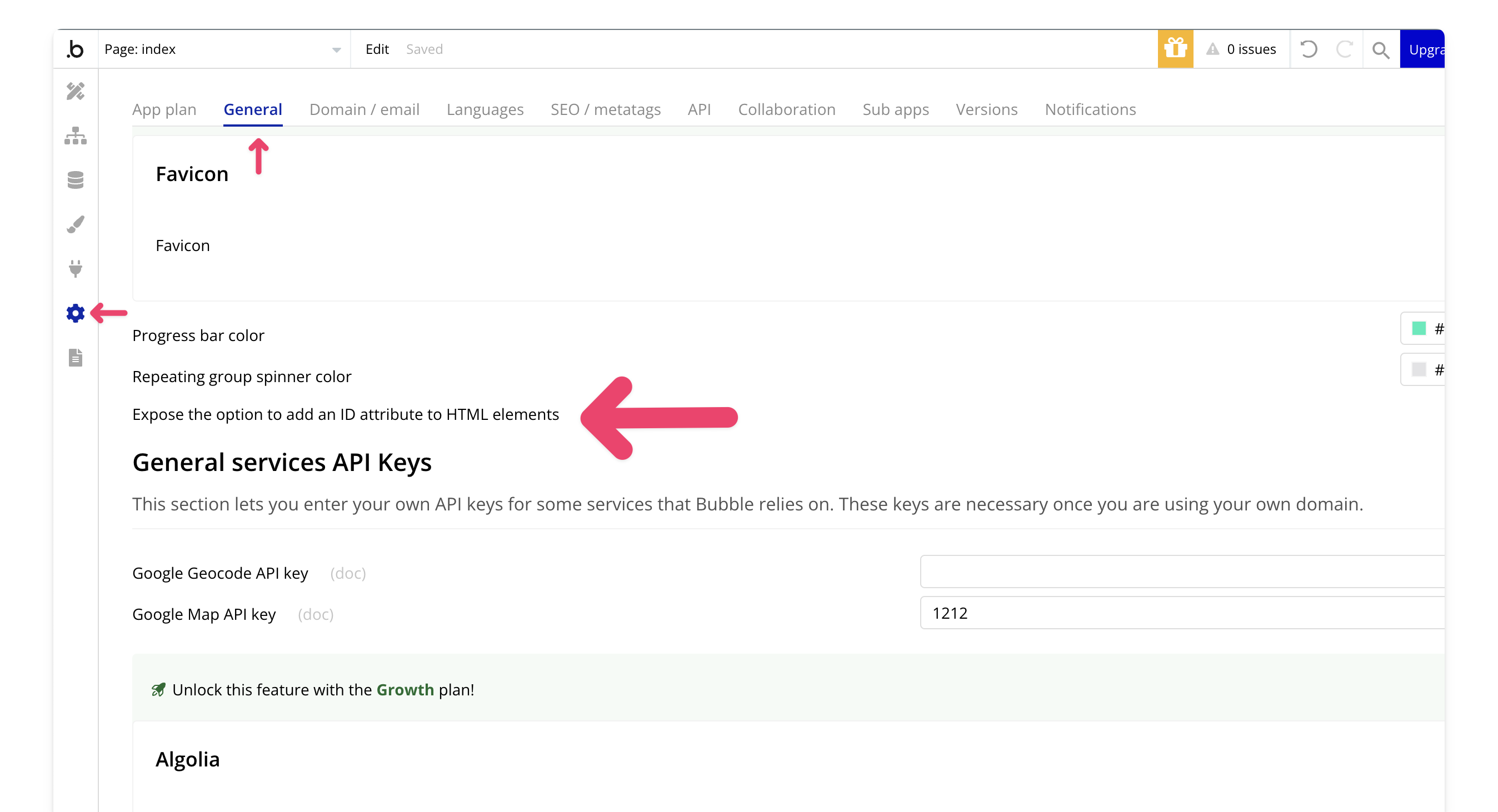
## 1. Enable the option to add an ID attribute to HTML elements
In the General tab of your settings, allow users to add an ID attribute to HTML elements.
## 2. Create a group for the video
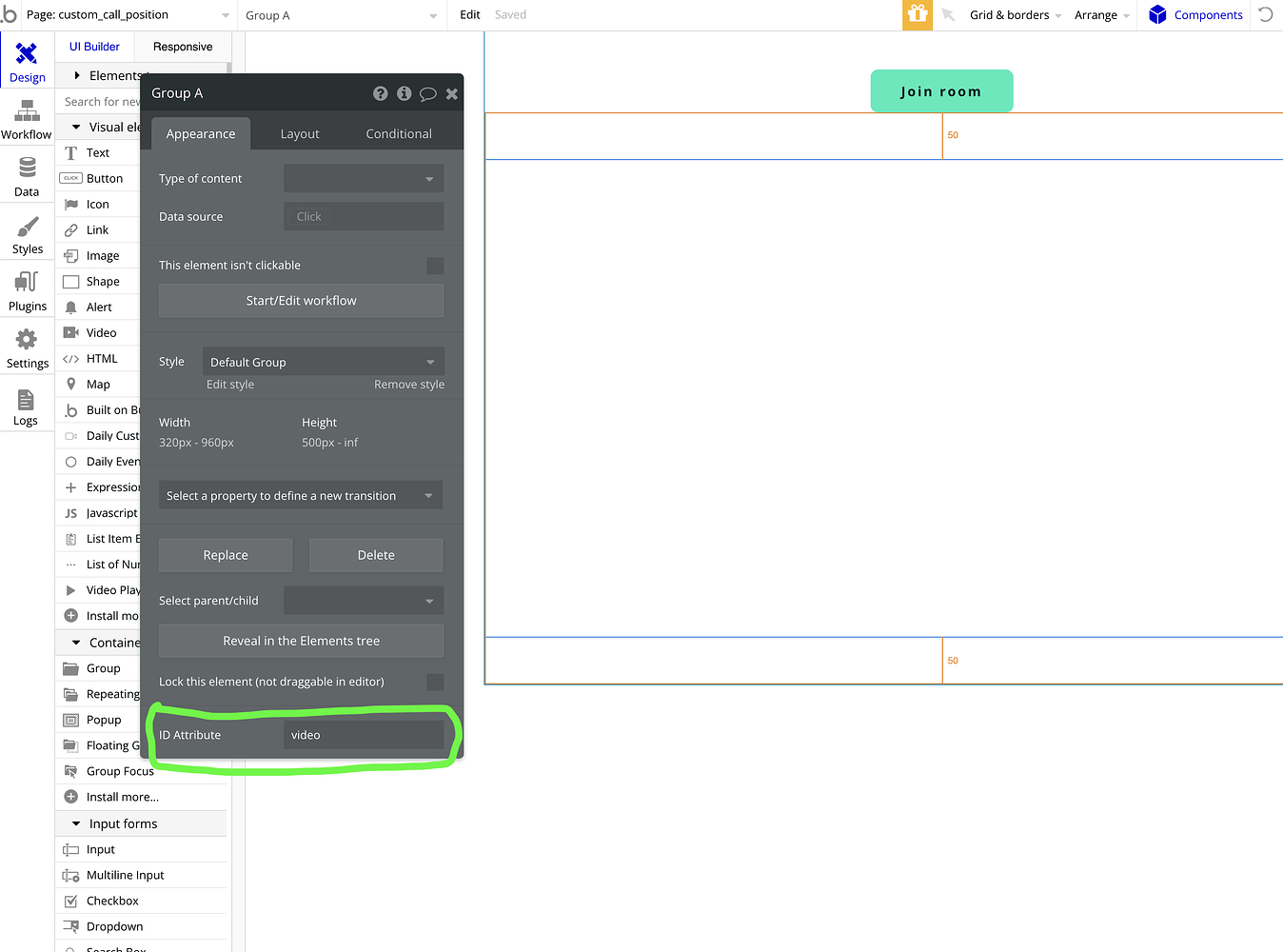
Start by creating a group on your page where you'd like the video to appear. Define its size, position, and width. After that, add the element ID to the group.
## 3. Select custom position in the join call action
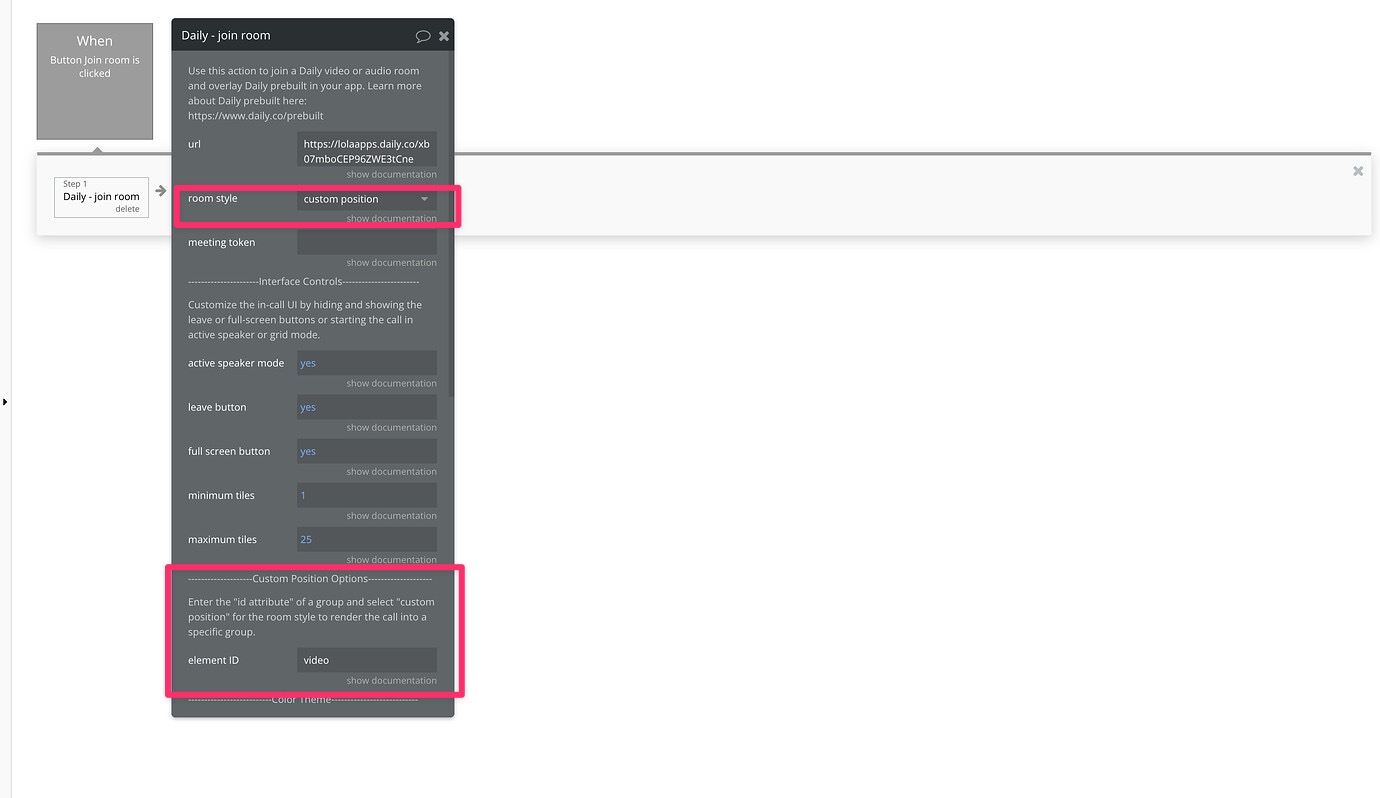
When joining the room, choose the custom position option. Then, input the element ID for the group you created, so the video overlays on top of it.
View our options for free community and priority support.
Post your feature request on our
idea board.