> ## Documentation Index
> Fetch the complete documentation index at: https://tools.lunchpaillabs.com/llms.txt
> Use this file to discover all available pages before exploring further.
# Enable breakout rooms
Breakout rooms allow you to split participants into smaller groups during a call. If you prefer a video walkthrough, check out our step-by-step tutorial below. Otherwise, keep reading for the written guide:
Here’s how to set it up:
## 1. Enable breakout rooms in room settings
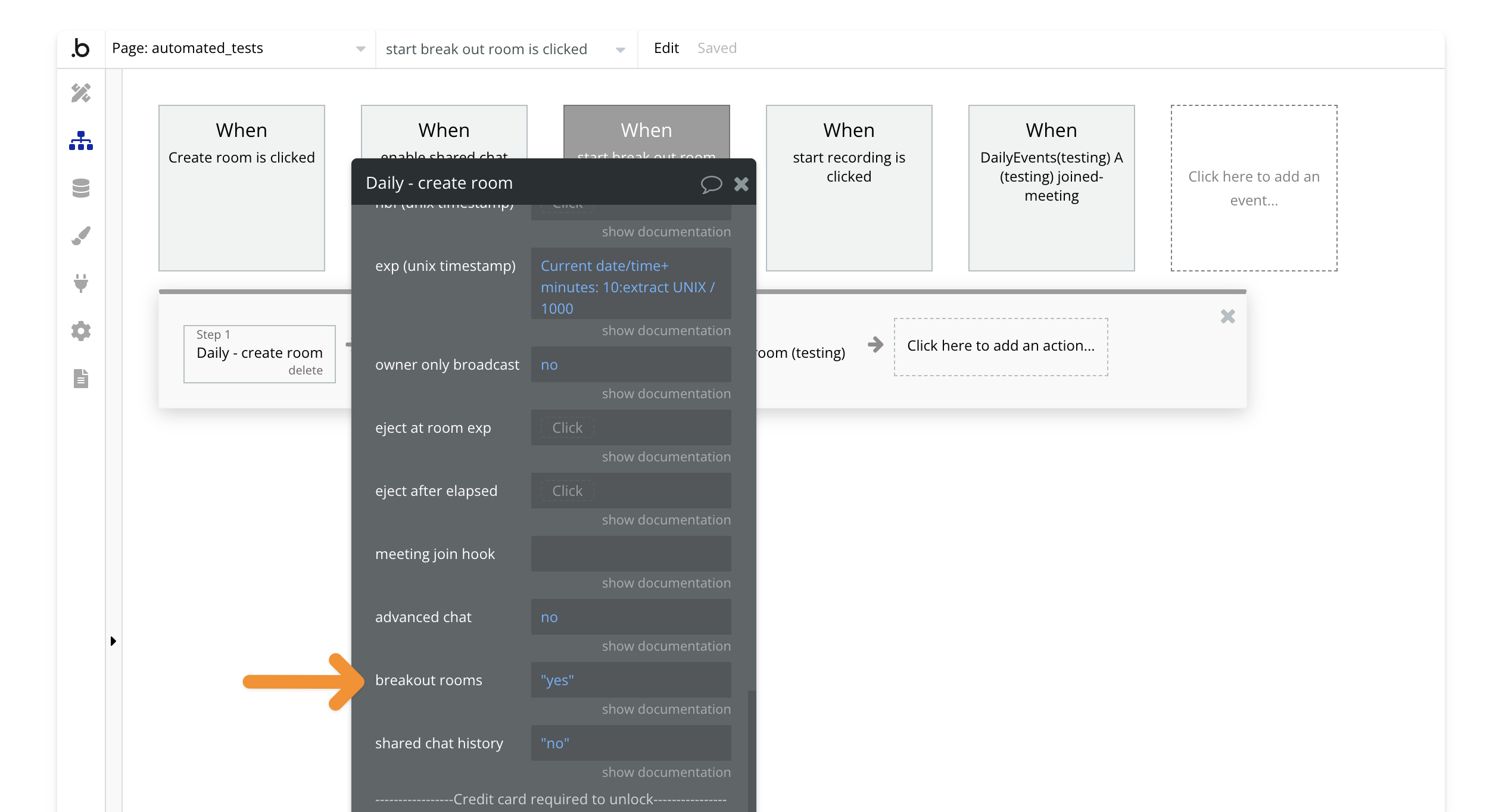
When creating or updating a room, set the `enable breakout rooms` field to `yes` in the [create room](/bubble/daily/plugin-reference/actions/create-room) or [update room](/bubble/daily/plugin-reference/actions/update-room) actions.
## 2. Create a meeting token for the room owner
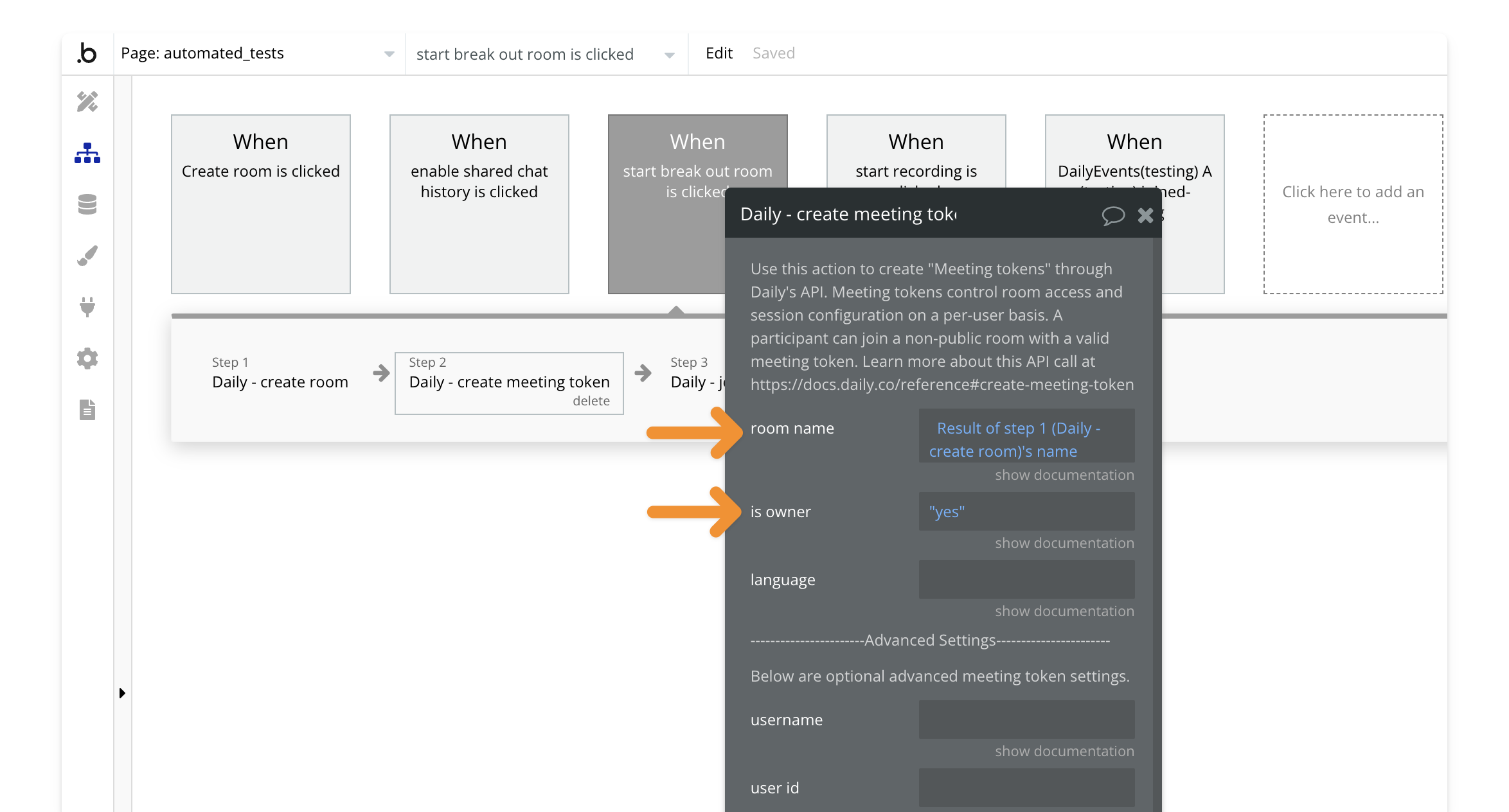
To allow someone to create breakout rooms, they need to be the room owner. Use the [create meeting token](/bubble/daily/plugin-reference/actions/create-meeting-token) action, set the `room name` to the room created in [Step 1](#1-enable-breakout-rooms-in-room-settings), and mark `is owner` as `yes`.
## 3. Join the room with the meeting token
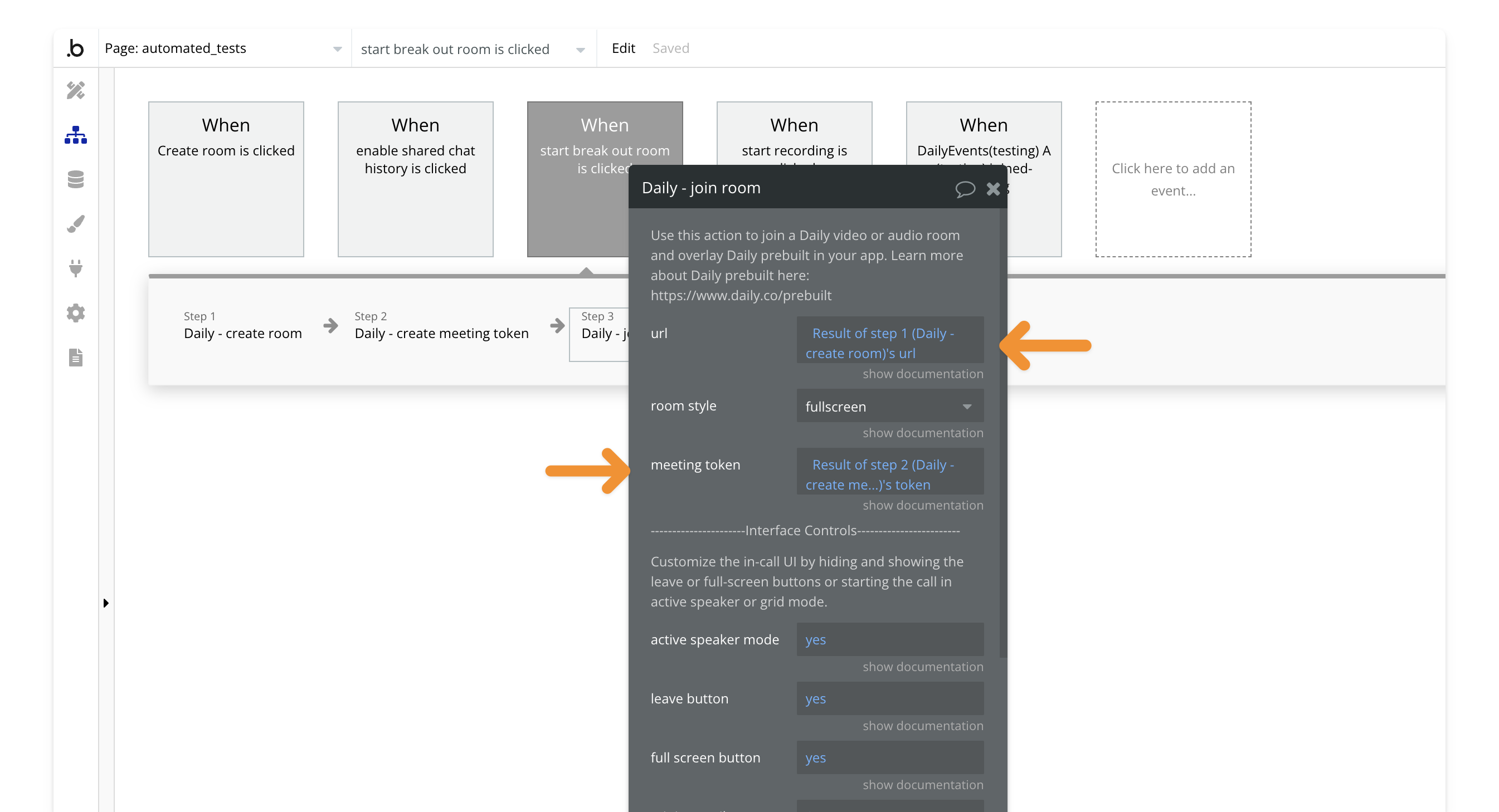
Next, join the room using the [join room](/bubble/daily/plugin-reference/actions/join-room) action. The user creating the breakout rooms must use the meeting token from [Step 2](#2-create-a-meeting-token-for-the-room-owner) and the room name from [Step 1](#1-enable-breakout-rooms-in-room-settings).
## 4. Start a breakout room
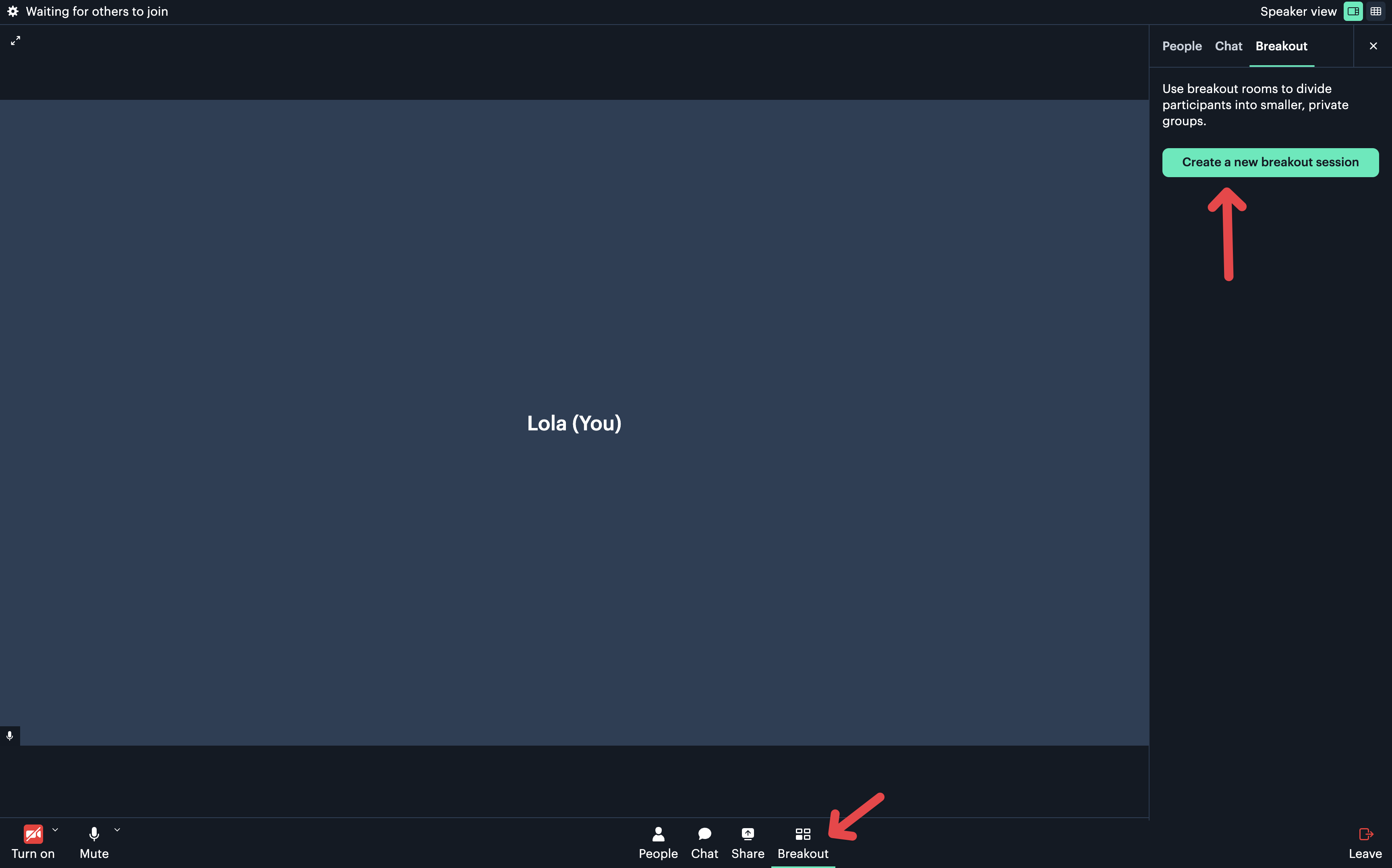
Once in the call, the user will see an option to create a breakout room.
View our options for free community and priority support.
Post your feature request on our
idea board.