> ## Documentation Index
> Fetch the complete documentation index at: https://tools.lunchpaillabs.com/llms.txt
> Use this file to discover all available pages before exploring further.
# Send an app message
export const feature_0 = "action"
🔐 Bundle plugin only: This {feature_0} is exclusive to the [Video, Audio & Live
Bundle](/bubble/video-audio-live-bundle/getting-started). Get the bundle
plugin
[here](https://bubble.io/plugin/video-audio--live-bundle-1727441795463x240182085842370560).
Sometimes, you want to send an app message to trigger an event in your Bubble app. This guide walks through how.
## Steps
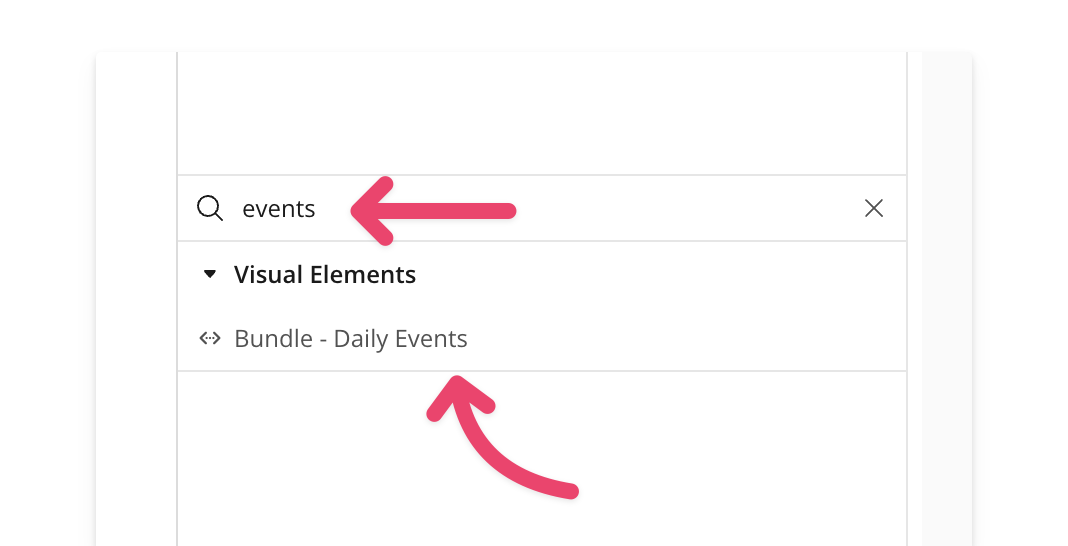
### 1. Add the Bundle Daily Events element
Place the [**Bundle Daily Events**](/bubble/daily/plugin-reference/elements/daily-events) element on your page. A common practice is to place it inside a hidden popup, keeping it offscreen while it listens for events.
### 2. Start listening for events
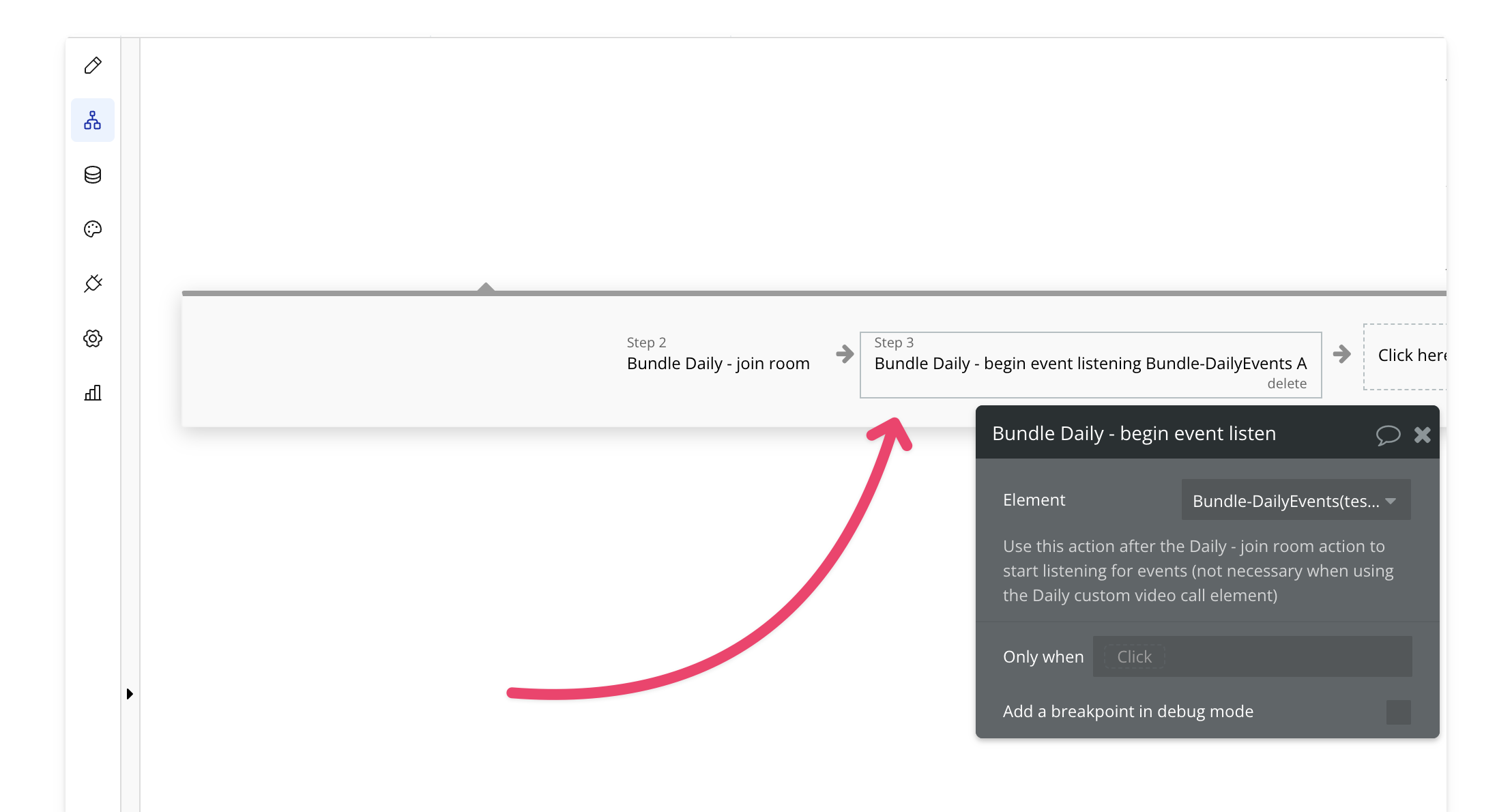
After joining the room, add the Begin Listening action. This ensures that Bubble can detect and process incoming events, such as app-message.
### 3. Send app message
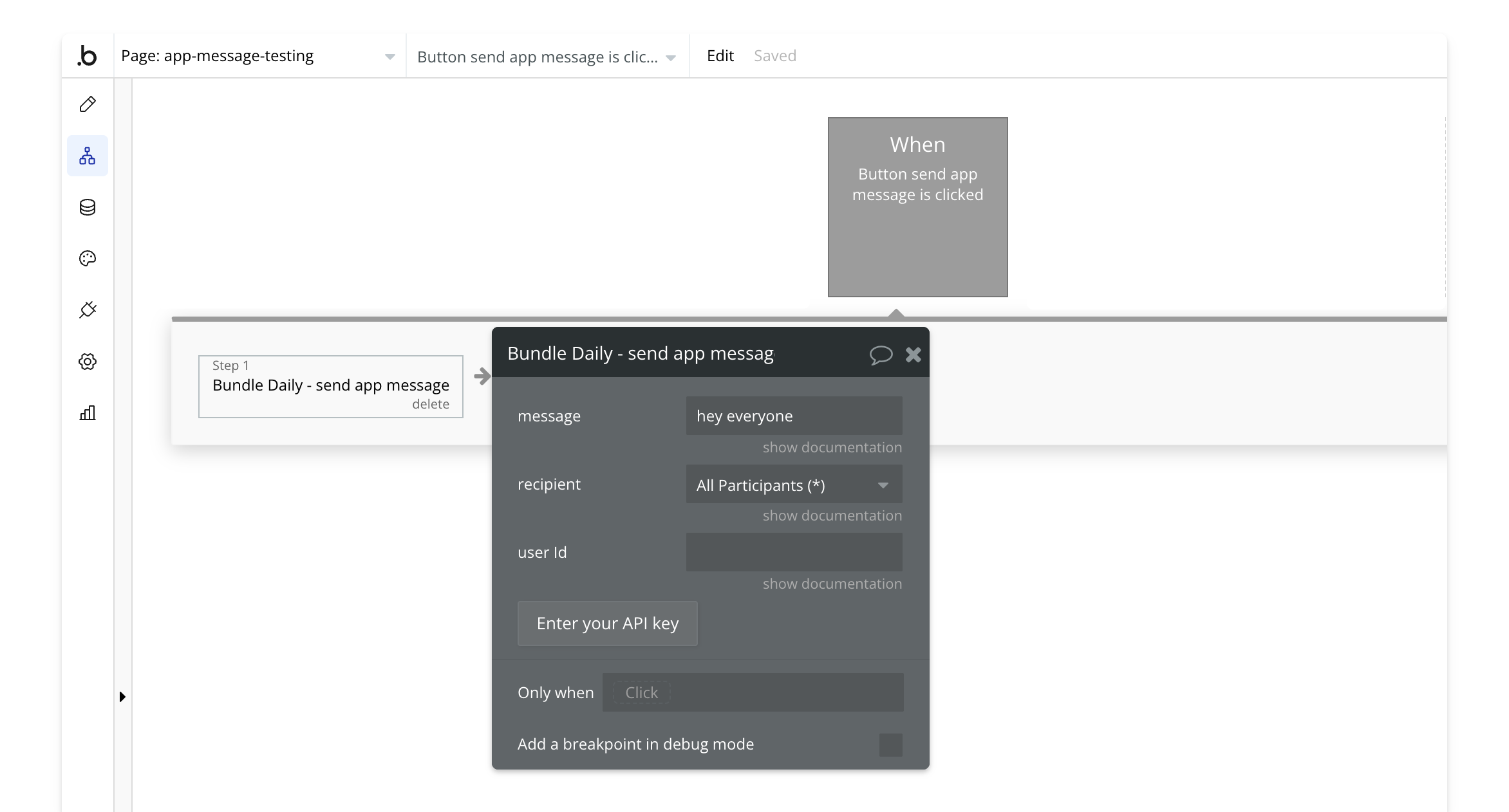
Use the [send app message](/bubble/daily/plugin-reference/actions/send-app-message) action anywhere in your workflow to transmit a message.
### 4. Handle the app message event
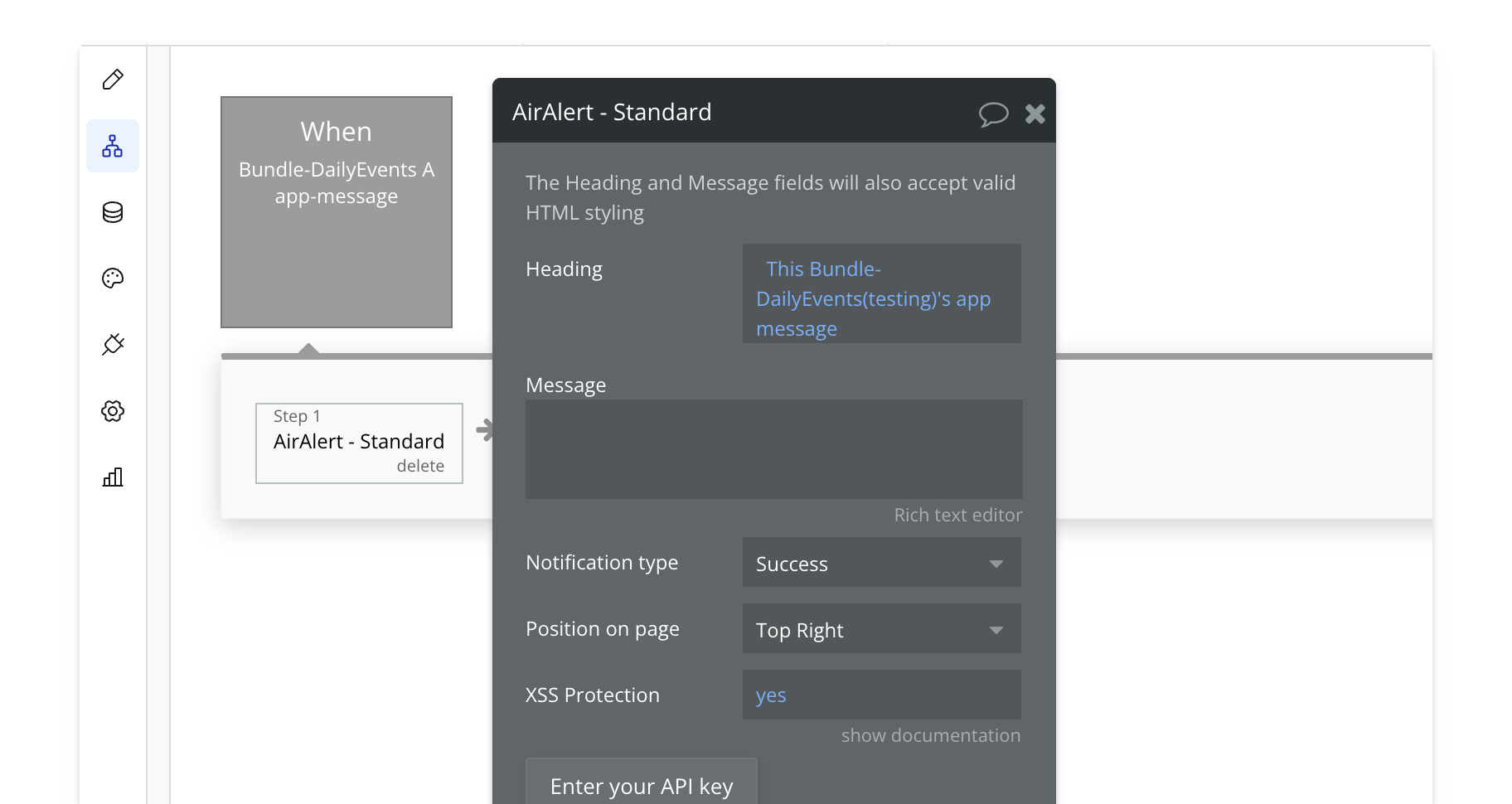
When an app message event is triggered, take action in your app. This could be displaying a popup, showing a notification, or any other custom action you define.
Note: App messages do not trigger for the sender (broadcaster). In this example, we send a notification with the value of the message, but the possibilities are endless.
View our options for free community and priority support.
Post your feature request on our
idea board.