> ## Documentation Index
> Fetch the complete documentation index at: https://tools.lunchpaillabs.com/llms.txt
> Use this file to discover all available pages before exploring further.
# Chat with a Tavus AI bot
Learn how to start a conversation with Tavus and talk to a Tavus AI bot.
If you prefer a video walkthrough, check out our step-by-step tutorial below. Otherwise, keep reading for the written guide:
## Steps
Go to the [Bubble Plugin
Marketplace](https://bubble.io/plugin/video-audio--live-bundle-1727441795463x240182085842370560)
and install the plugin into your app.
Go to the [API Keys tab](https://platform.tavus.io/api-keys) in your Tavus
account and click **Create New Key** to generate your Tavus API key.
In your Bubble app, go to **Plugins** and find the **Video, Audio & Live
Streaming Bundle** plugin. Enter your Tavus API key into the **Tavus API
Key** field.
Use the [Create
Conversation](/bubble/tavus/plugin-reference/create-conversation) action to
start a conversation. You’ll need a **persona ID** and **replica ID**.
Depending on your Tavus plan, you can create your own personas or use [stock
replicas](https://docs.tavus.io/sections/replicas/stock-replicas) and [stock
personas](https://docs.tavus.io/sections/personas/stock-personas). 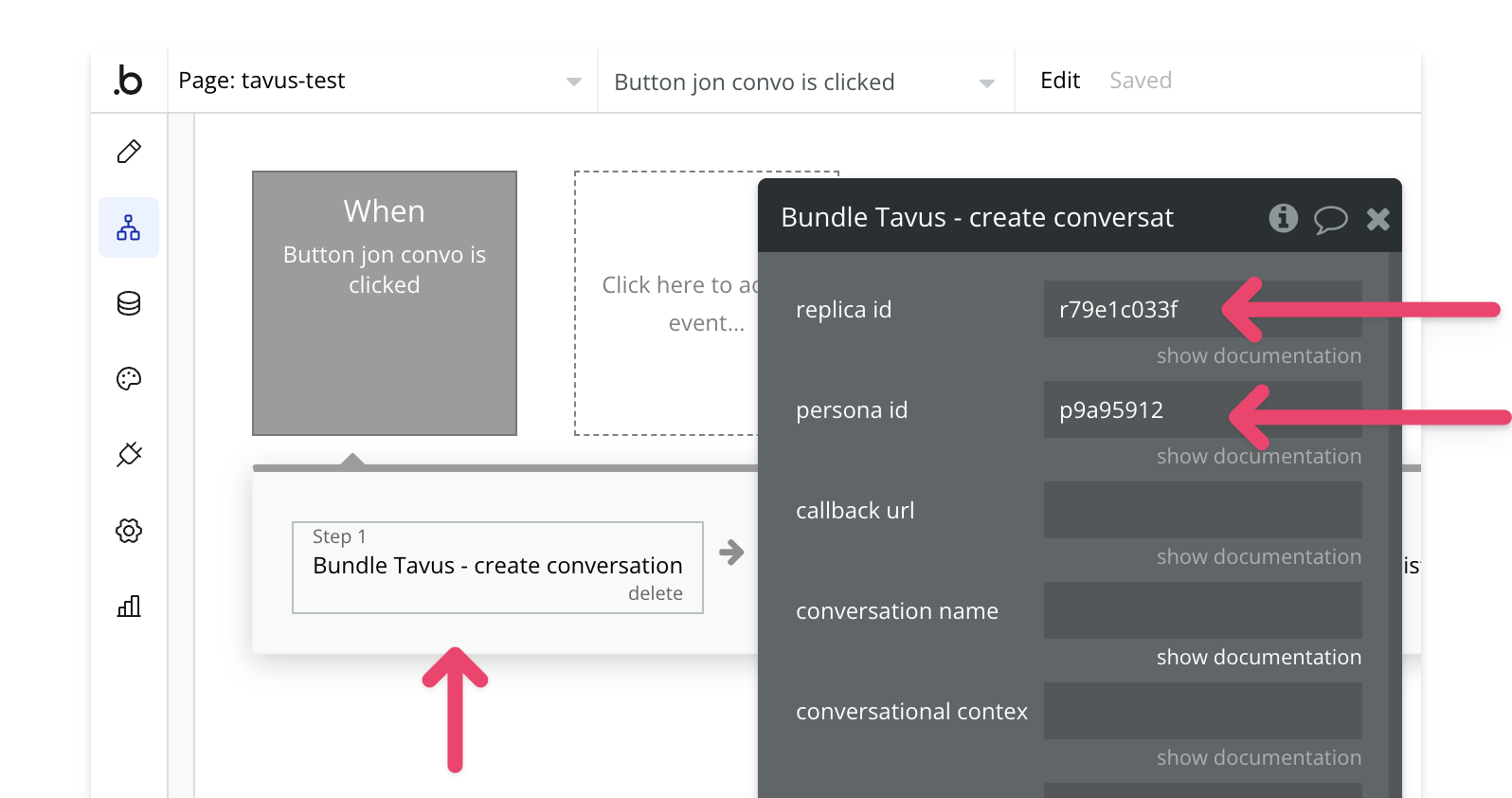
This will create a Daily call. Use the [Join
Conversation](/bubble/daily/plugin-reference/actions/join-room) action to
join the call. 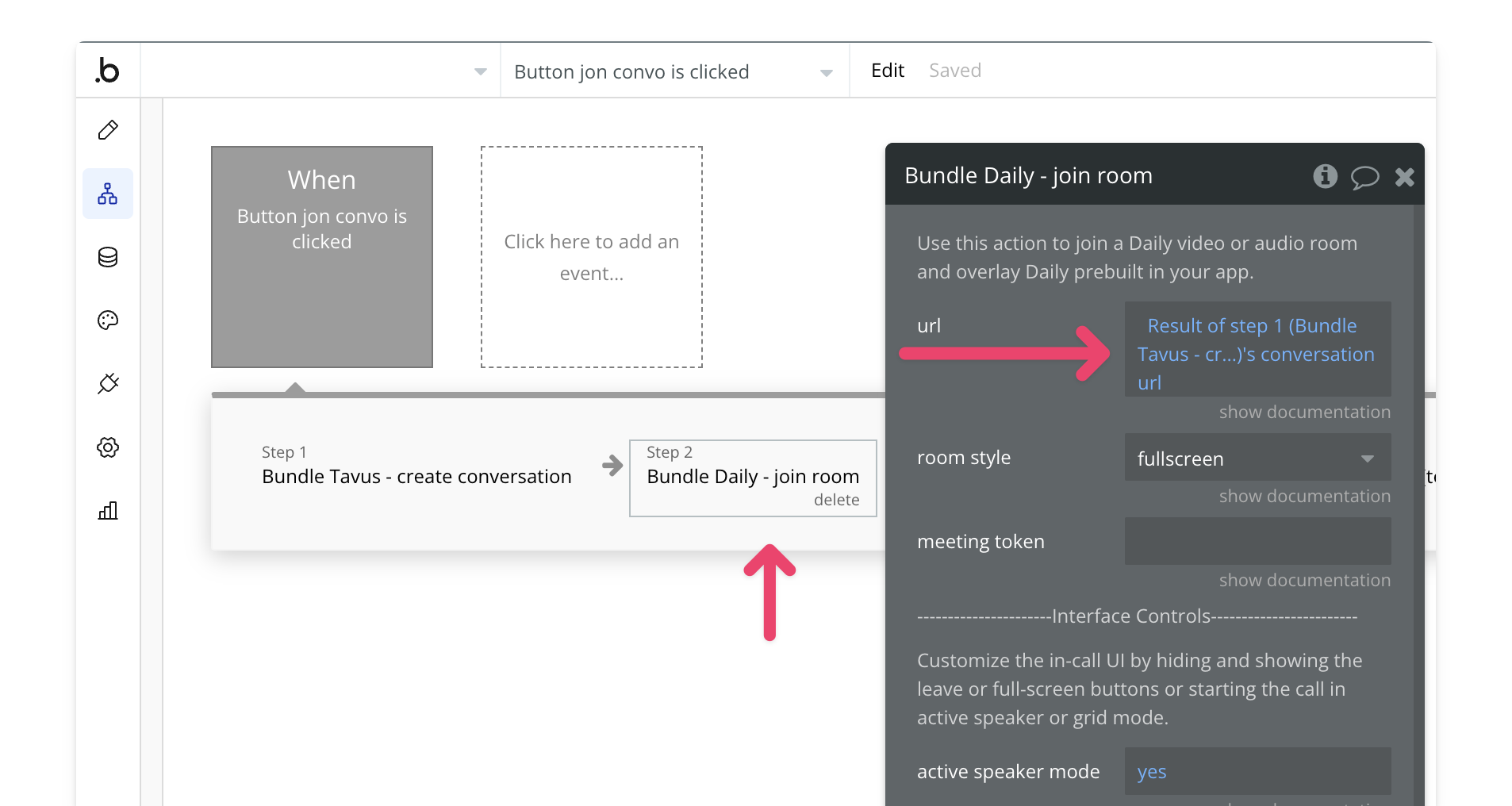
Once everything is configured, preview your app to test the conversation
workflow. 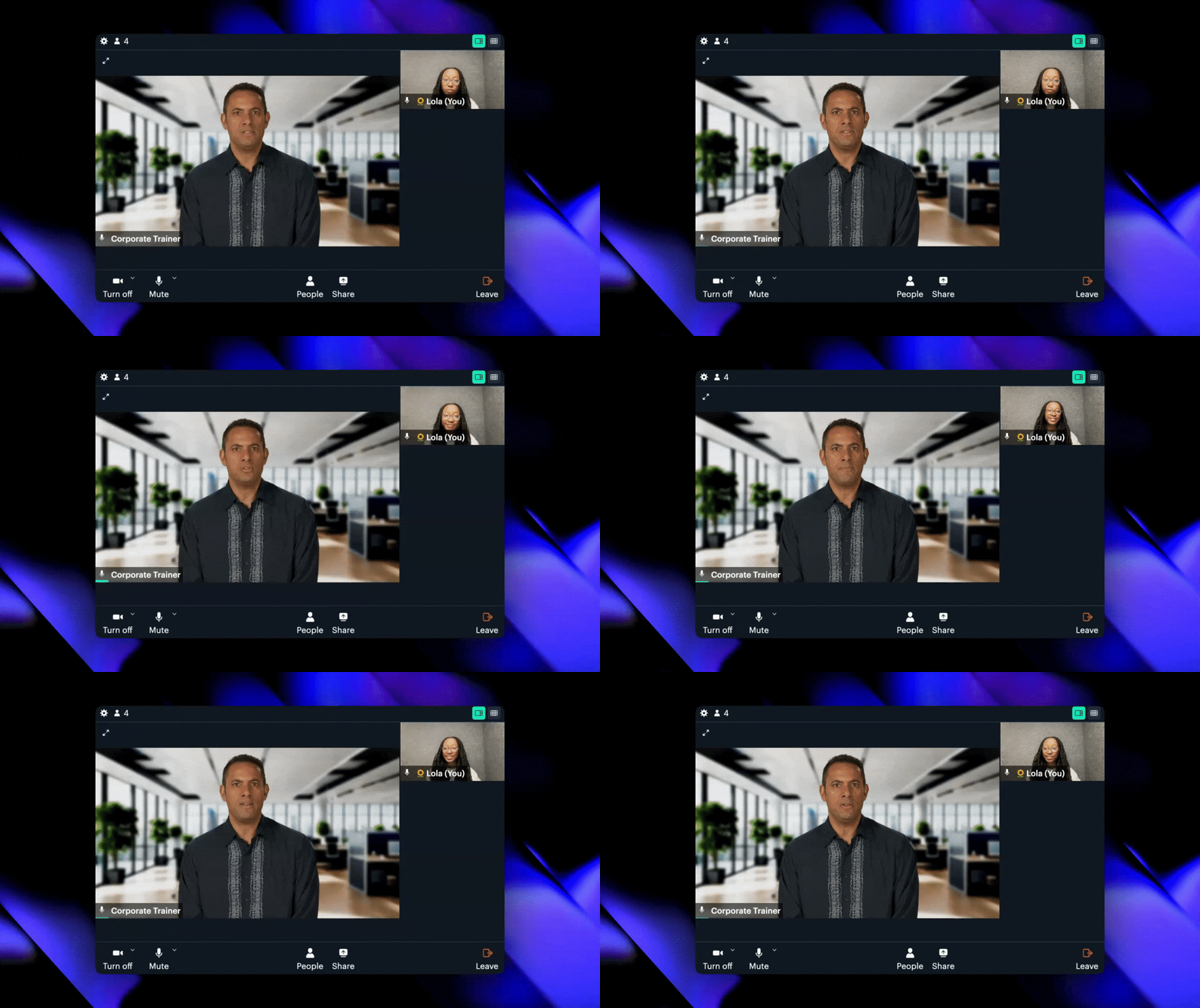
View our options for free community and priority support.
Post your feature request on our
idea board.