> ## Documentation Index
> Fetch the complete documentation index at: https://tools.lunchpaillabs.com/llms.txt
> Use this file to discover all available pages before exploring further.
# Bundle Join Daily Room (Full Screen, Expiring)
> A workflow that creates and joins a full-screen video call room that expires after 15 minutes, using the Video, Audio & Live Bundle.
This workflow requires the **[Video, Audio & Live
Bundle](https://bubble.io/plugin/video-audio--live-bundle-1727441795463x240182085842370560)**.
Install it before proceeding.
## **What This Workflow Does**
This workflow **creates and joins a Daily video call room in full-screen mode** with a **15-minute expiration**,
It works like the free version but **leverages the video, audio, and live bundle**. In a live app, you'd likely save the room details in your database—but this workflow provides the **core structure** to create and join a room with an automatic expiration that **ejects participants when the time is up.**
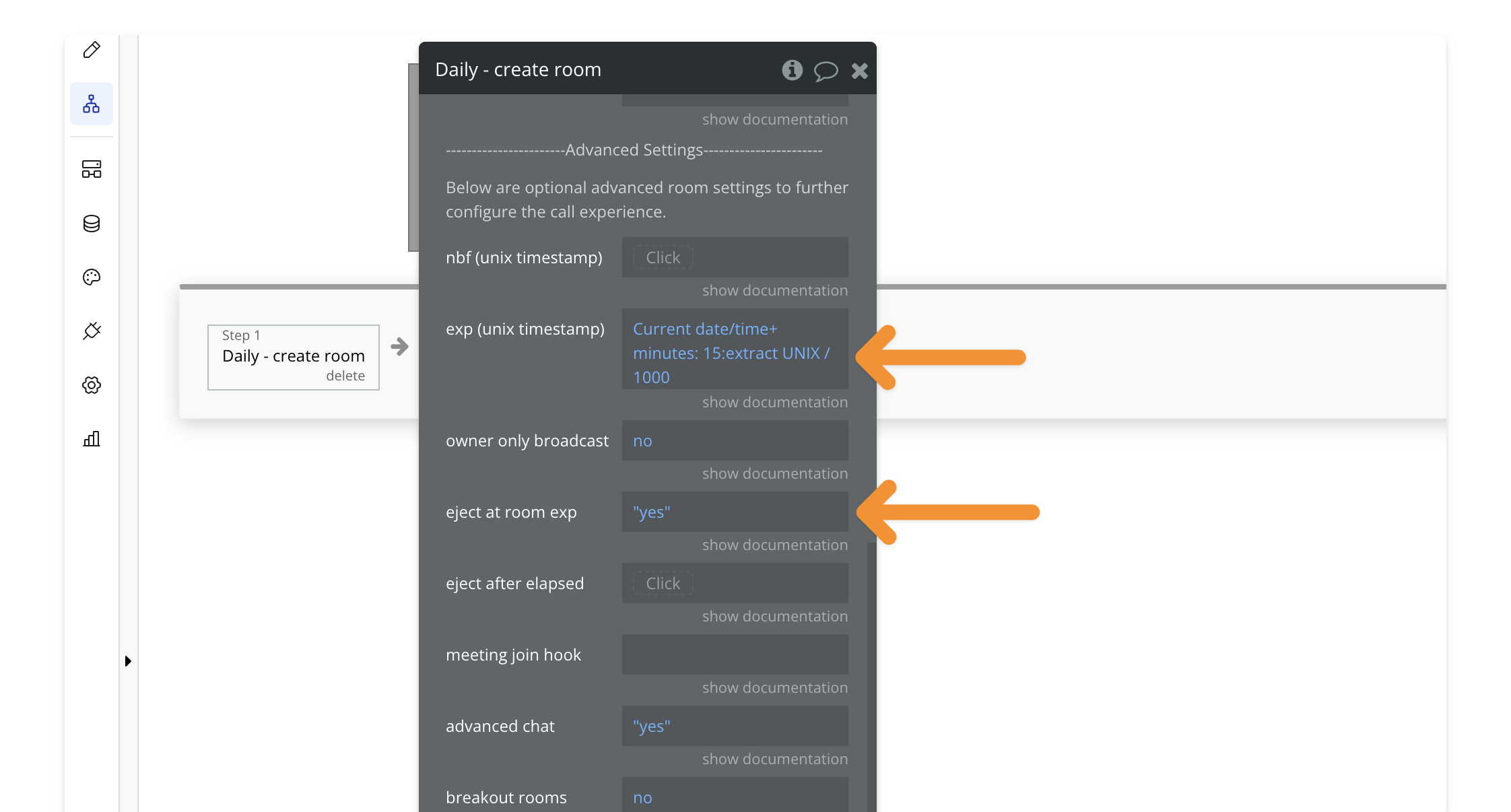
The expiration is set using the **`exp` parameter,** which you can modify to adjust the expiration time. By default, this workflow **automatically ejects** all participants when the room expires. You can change this behavior by setting **`eject at room exp`** to **false.**
## **Key Features**
| Feature | Description |
| ---------------------- | ------------------------------------------------------- |
| ✅ **Full-Screen Mode** | Joins the call in a full-screen overlay |
| ✅ **Expiring Room** | Room automatically expires after 15 minutes |
| ✅ **Auto-Eject Users** | Participants are removed when time is up (configurable) |
## **How to Install**
**🔍 Preview how to add a workflow to your editor.**
Open the **PailPal extension**, go to **All** and search for **"Bundle Join
Daily Room (Full-Screen, Expiring)"**.
Click **"Copy"** on the workflow card to copy both the button and workflow.
In **Bubble**, navigate to where you want to add the button.
Press **CMD+V (Mac) or CTRL+V (Windows)** to paste the workflow into your
app.
Modify the button's styling to match your app's design.