> ## Documentation Index
> Fetch the complete documentation index at: https://tools.lunchpaillabs.com/llms.txt
> Use this file to discover all available pages before exploring further.
# Join Daily Room (Full Screen, Private)
> A workflow that creates and joins a full-screen private video call room with knocking enabled.
This workflow requires the [Daily Video Conferencing
Plugin](https://bubble.io/plugin/daily-video-chat-1622494385281x917140771709124600).
Install it before proceeding.
## **What This Workflow Does**
This workflow **creates and joins a private Daily video call room in full-screen mode** with **knocking enabled**.
In a live app, you’d likely save the room details in your database—but this workflow provides the **core structure** to create and join a private room where **only authorized users can enter immediately, while others must knock to request access.**
### **How It Works**
This workflow has three key actions:
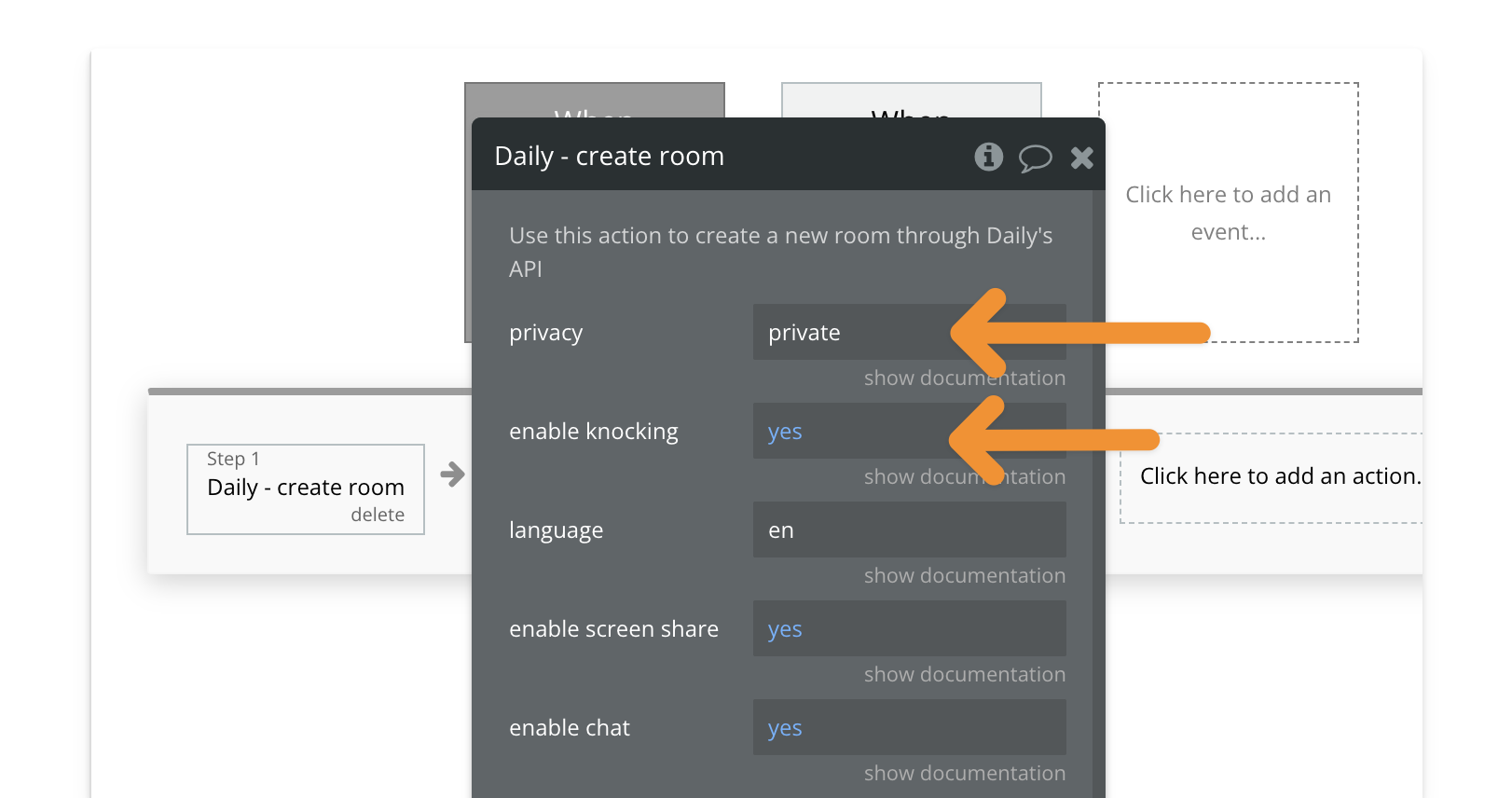
1️⃣ **Create a Private Room** → The room is created with **knocking enabled**, meaning users without a token must knock to request access.
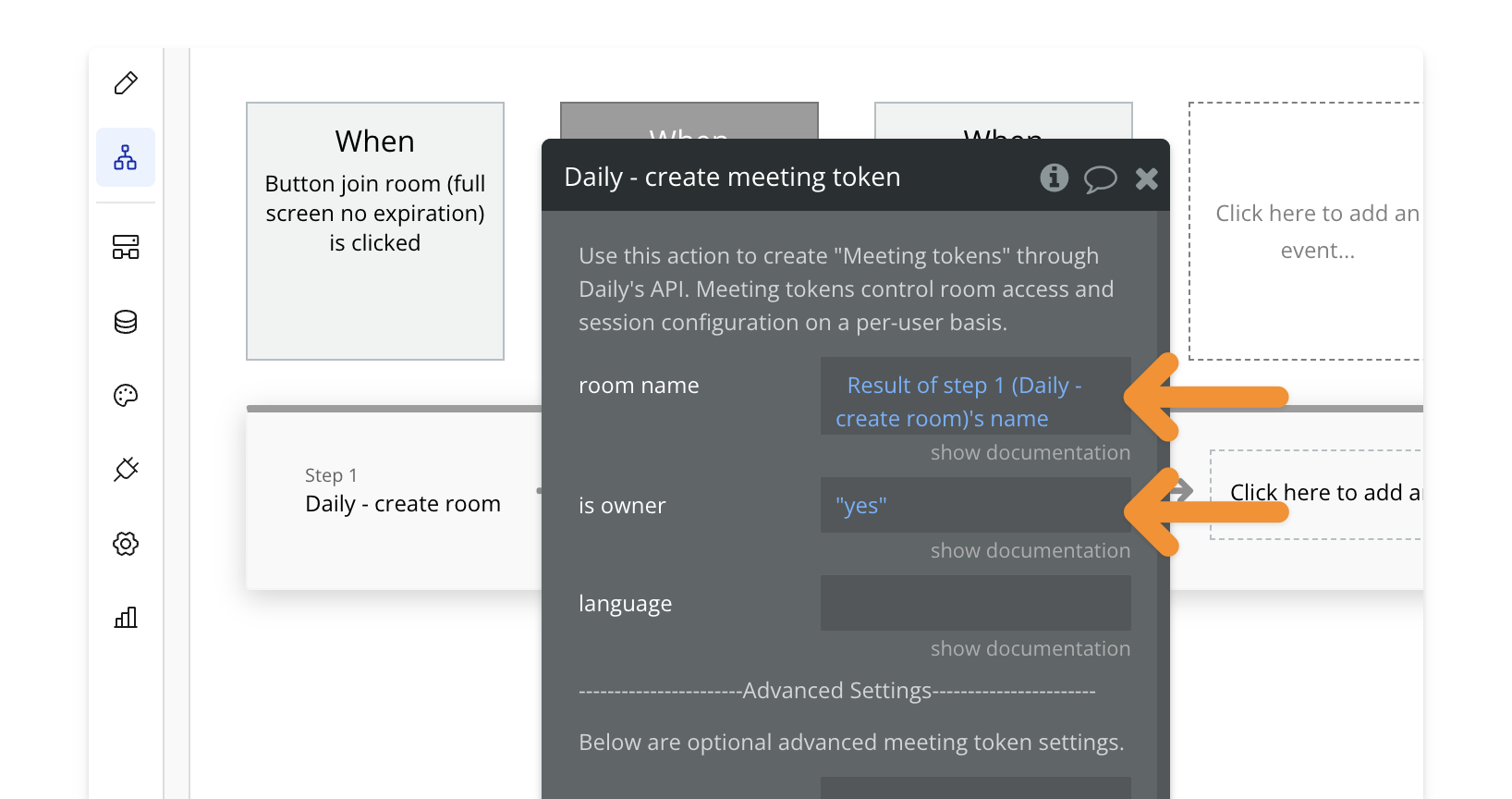
2️⃣ **Generate a Meeting Token** → The workflow generates an **owner token**, giving the host full control, including letting others in.
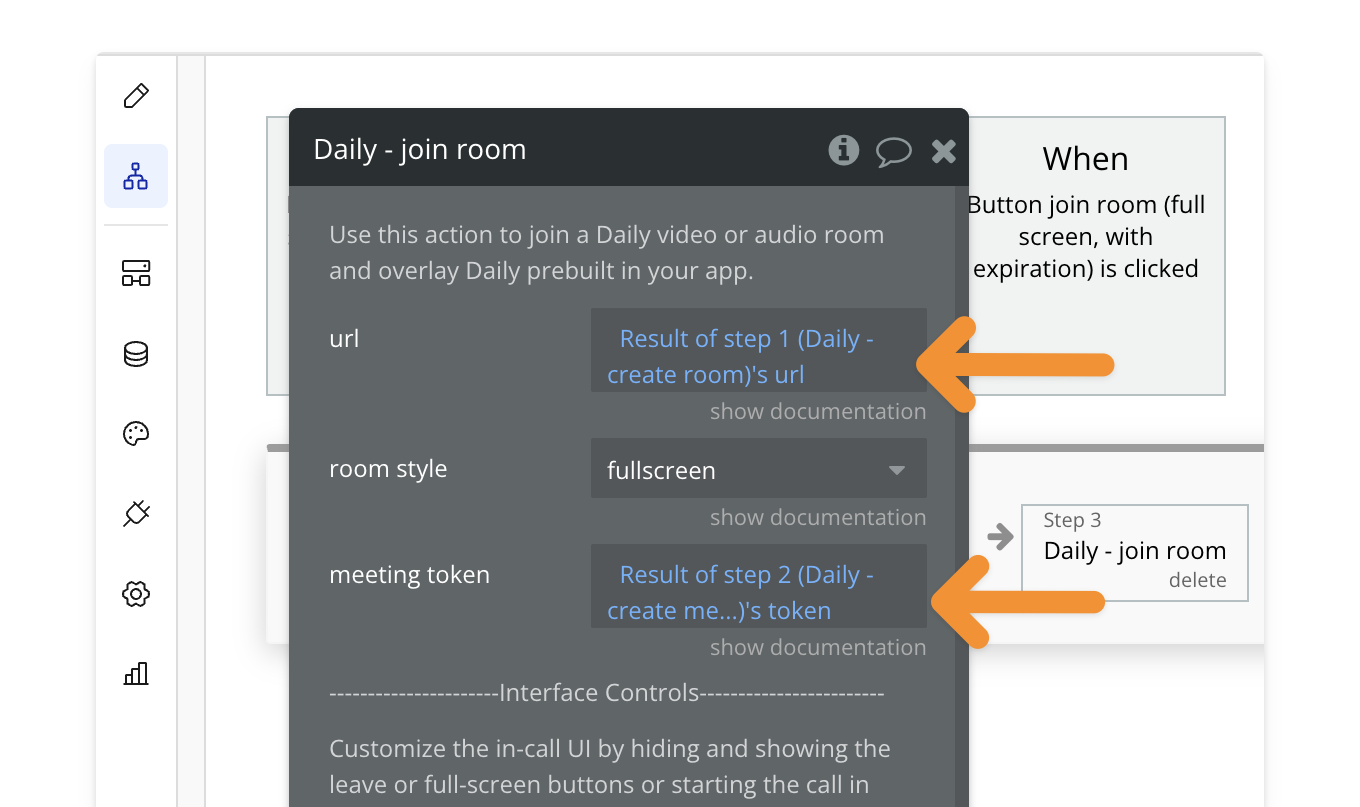
3️⃣ **Join Room in Full-Screen Mode** → The host joins the call in full-screen.
## **Key Features**
| Feature | Description |
| ------------------------ | ------------------------------------------------------ |
| ✅ **Full-Screen Mode** | Joins the call in a full-screen overlay |
| ✅ **Private Room** | Only users with a token can enter immediately |
| ✅ **Knocking Enabled** | Users without a token must request access |
| ✅ **Owner Token Access** | The host can let others in and manage room permissions |
## **How to Install**
**🔍 Preview how to add a workflow to your editor.**
{" "}
Open the **PailPal extension**, go to **All** and search for **"Join Daily
Room (Full-Screen, Private)"**.
Click **"Copy"** on the workflow card to copy both the button and workflow.
In **Bubble**, navigate to where you want to add the button.
Press **CMD+V (Mac) or CTRL+V (Windows)** to paste the workflow into your
app.
Modify the button's styling to match your app's design.