

Steps
1
Install the Video, Audio & Live Bundle Plugin
Go to the Bubble Plugin
Marketplace
and install the plugin into your app.
2
Get Your Tavus API Key
Go to the API Keys tab in your Tavus
account and click Create New Key to generate your Tavus API key.
3
Configure the Plugin in Bubble
In your Bubble app, go to Plugins and find the Video, Audio & Live
Streaming Bundle plugin. Enter your Tavus API key into the Tavus API
Key field.
4
Create a Workflow to Start a Conversation
Use the Create
Conversation action to
start a conversation. You’ll need a persona ID and replica ID.
Depending on your Tavus plan, you can create your own personas or use stock
replicas and stock
personas. 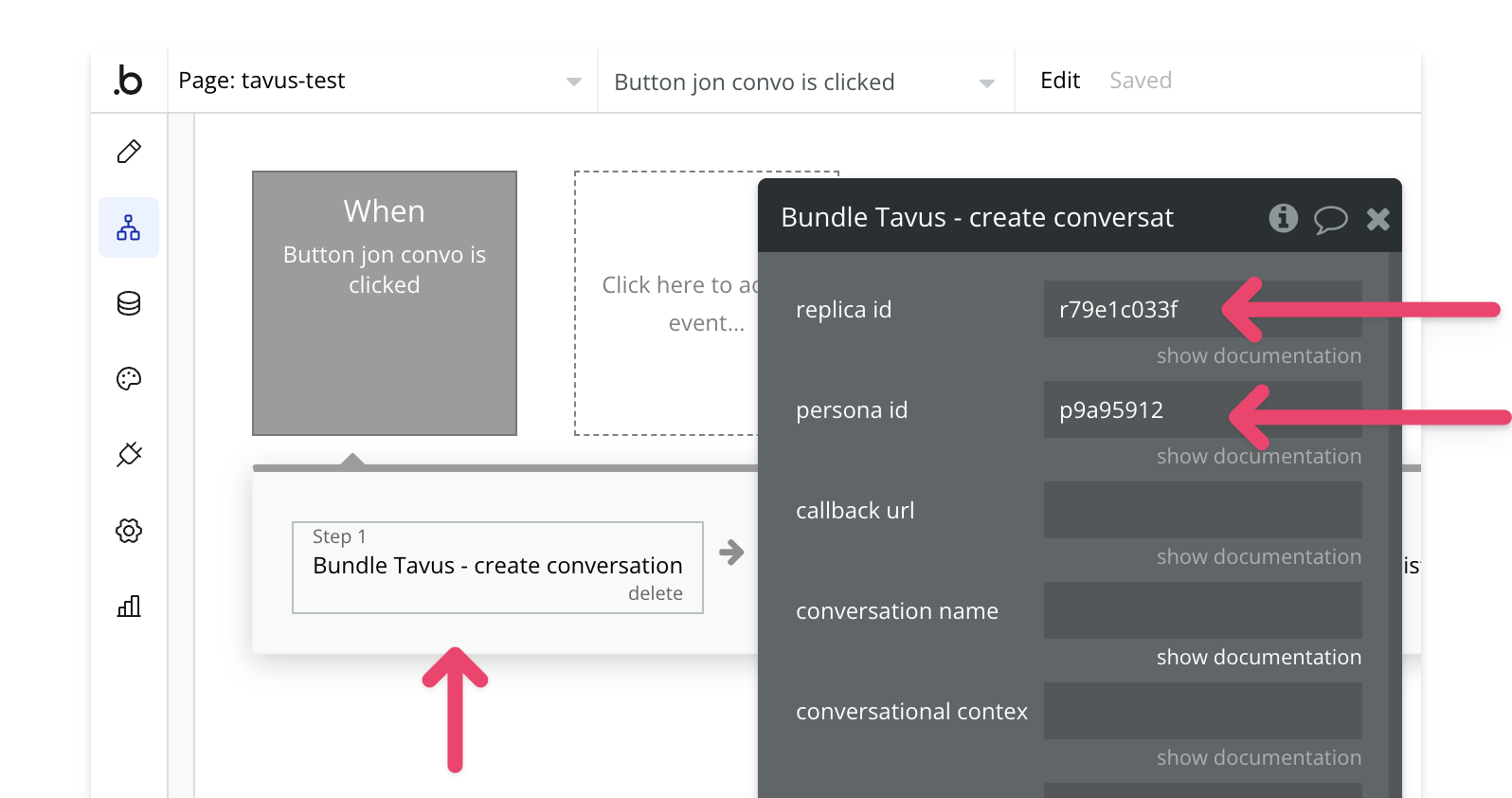
5
Join the Conversation
This will create a Daily call. Use the Join
Conversation action to
join the call. 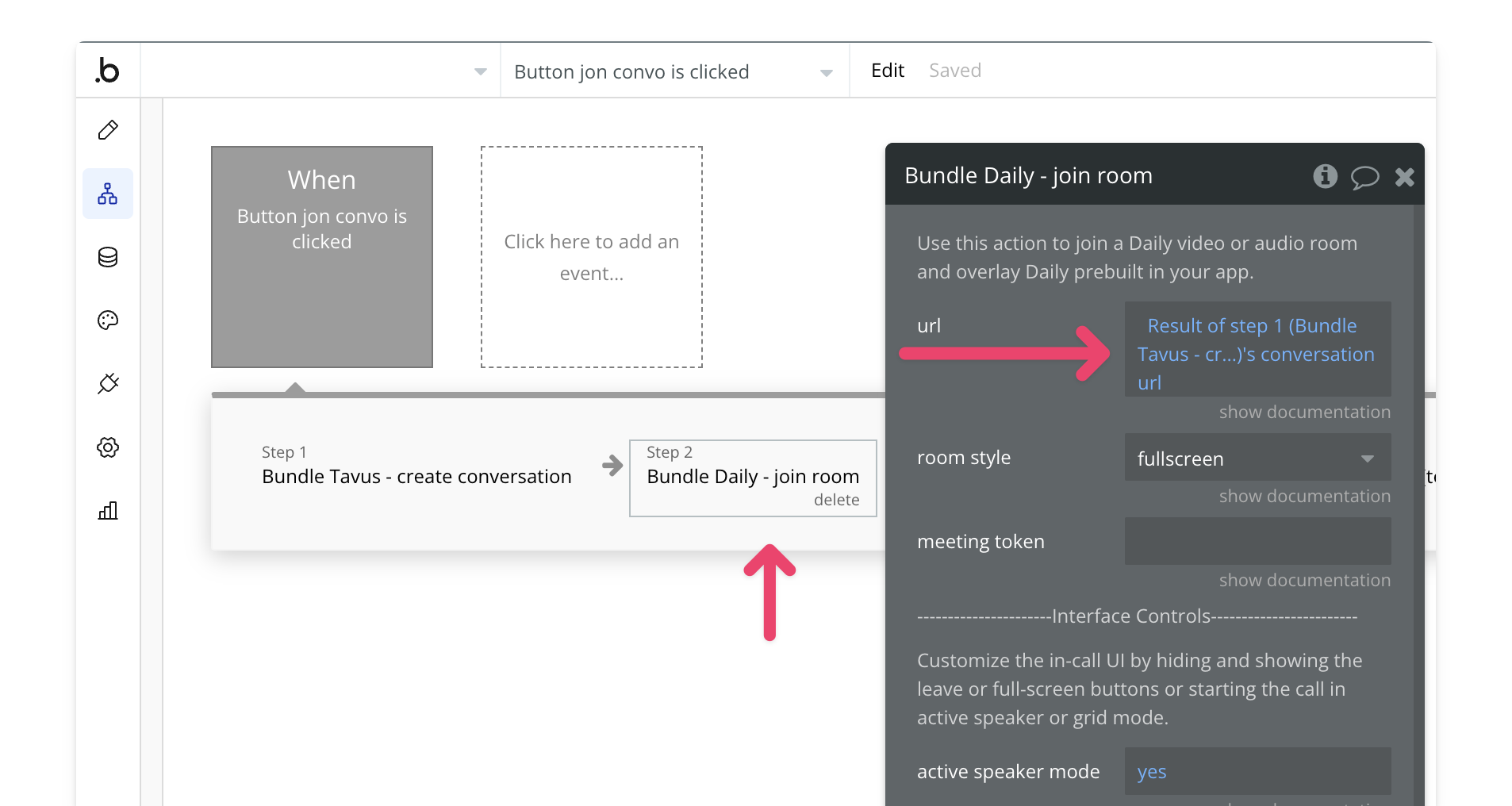
6
Preview and Test
Once everything is configured, preview your app to test the conversation
workflow. 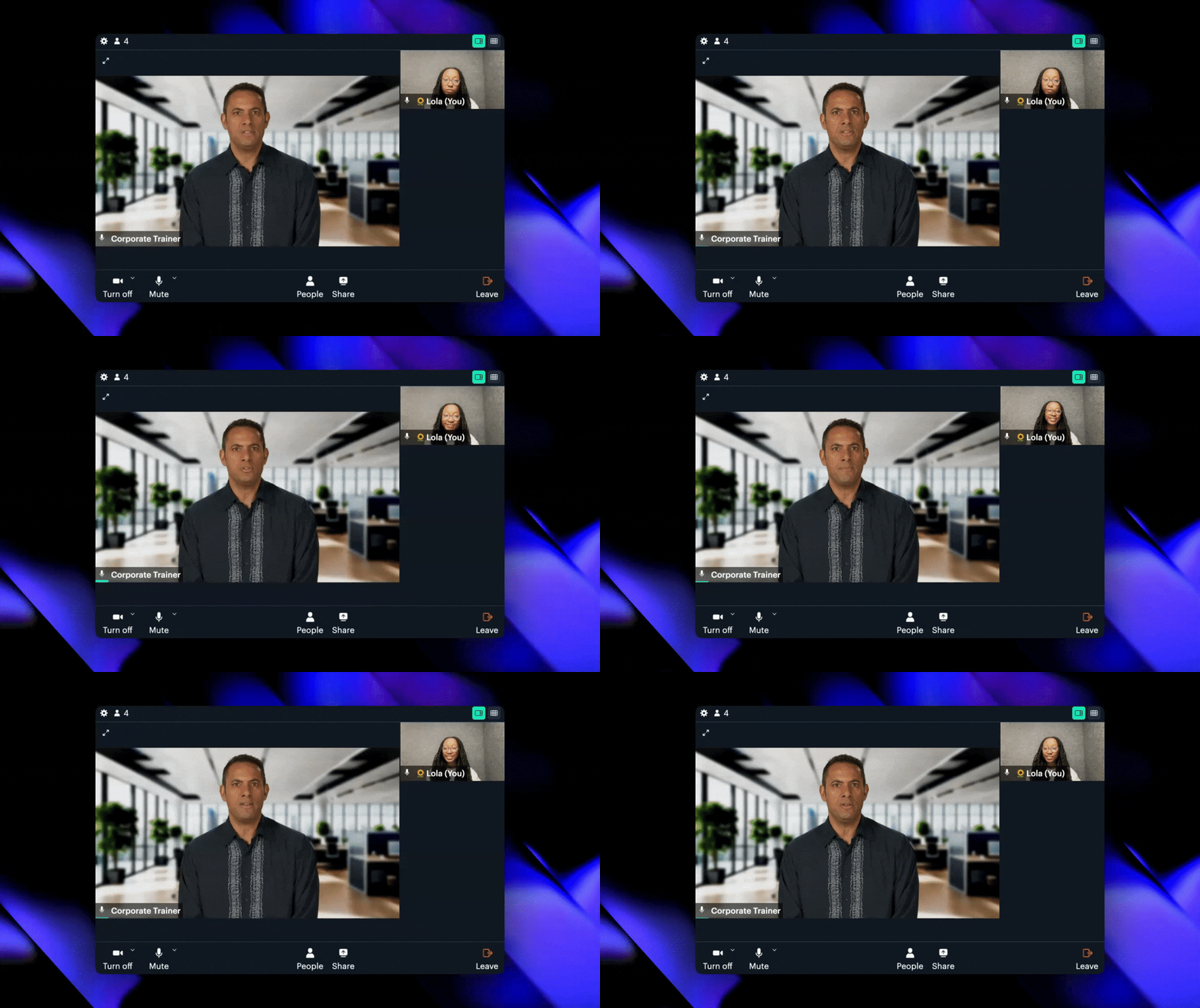
Need Help?
View our options for free community and priority support.
Have a feature request?
Post your feature request on ouridea board.